



Google has introduced one of its most useful updates in recent years: custom annotations inside the Google Search Console Performance report. Announced on 17 November 2025, this feature allows website owners, SEOs, and marketers to add their own notes directly on performance charts. It is designed to help users connect important website changes with traffic fluctuations — something professionals previously managed through external tools and spreadsheets.
This update removes guesswork and makes performance analysis more accurate, collaborative, and easier to manage.
Why Custom Annotations Matter
Anyone who manages SEO knows that traffic goes up and down for many reasons: content changes, deployments, template updates, design shifts, bugs, server downtime, holidays, or algorithm updates.
Before this feature, users had to maintain separate notes in documents or project management tools. Now, Google allows you to place your own context directly on the date where the change happened.
This means you can instantly see what your team did and how it affected impressions, clicks, or CTR — without leaving Search Console.
How the New Annotation Feature Works
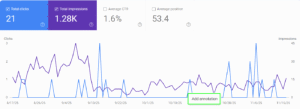
Google has added annotations only inside the Performance report. Using it is simple:
- Open the Performance report in Search Console.
- Right-click on the chart on any specific date.
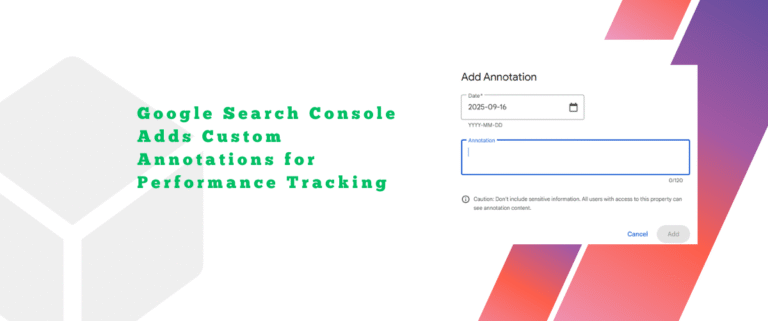
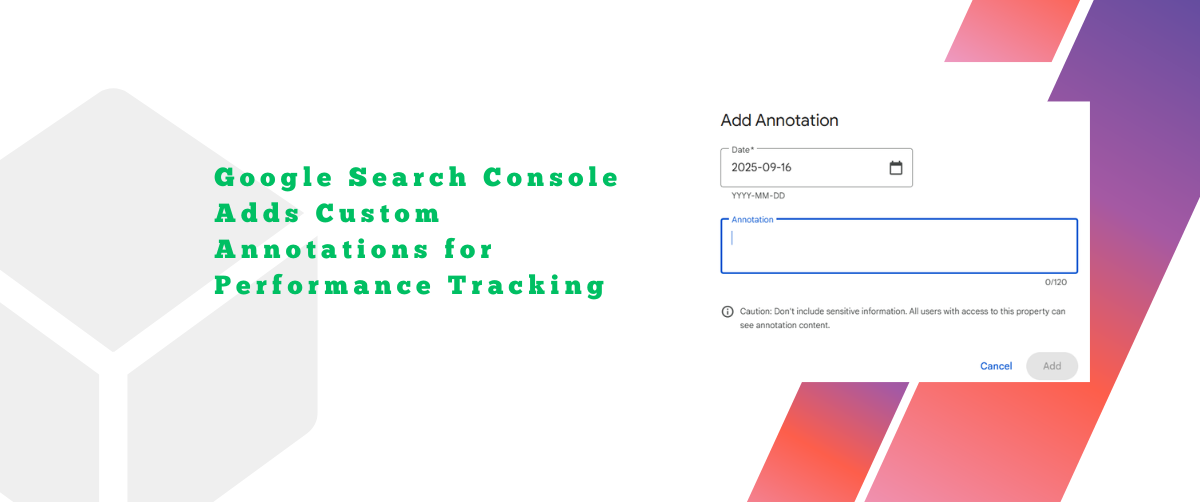
- Add a note (up to 120 characters).
- Save it.
Once saved, a marker appears on the chart. Anyone with access to your Search Console property can view these notes. This makes collaboration much easier because all team members share the same historical context.
What You Can Use Annotations For
Custom annotations help highlight any event that could impact performance, such as:
- Website redesign or theme change
- Content updates or content pruning
- URL structure changes
- Plugin installations or removals
- Core Web Vitals fixes
- CDN or hosting migrations
- Indexing or crawling corrections
- Holiday sale campaigns
- New ad campaigns that influence branded traffic
- Bug fixes or downtime events
These notes help create a clear timeline of actions and outcomes.
Limits You Should Know
Google has set a few boundaries to keep annotations manageable:
- You can create up to 200 annotations per Search Console property.
- Notes older than 500 days are automatically deleted.
- You cannot edit an annotation once it is created — you can only delete it.
- All users with access to the property can see annotations, so avoid adding sensitive details.
These limits encourage teams to add only important notes, avoid clutter, and maintain a clean change-log.
Why This Update Is a Big Deal for SEOs
This feature is more than a convenience — it’s a powerful analysis tool.
- Better Performance Explanations
With natural traffic drops and spikes, it’s difficult to remember what happened months ago.
Annotations show the exact event on the chart, making cause-and-effect visible. - Improved Team Collaboration
Everyone on the project sees the same notes. No more missing context when team members change. - Reduced Dependence on External Tools
Earlier, many SEOs used Chrome extensions like GSC Guardian or kept manual Excel logs.
Now, this functionality exists natively inside Google Search Console. - Streamlined SEO Reporting
Clients, managers, or stakeholders can more clearly understand why a ranking or traffic change occurred.
Best Practices for Using Annotations
To get the most value out of this feature, here are a few practical habits:
- Add notes only for meaningful changes
Avoid cluttering the chart with too many annotations. - Use a consistent format
Example:
“Blog update – product page revamp”
“Server fix – improved TTFB” - Review annotations monthly
Especially those that may expire after 500 days. - Avoid personal or sensitive data
All property users can view annotations. - Use clear and short wording
You only have 120 characters — enough for clean, concise context.
Will Google Improve This Feature Further?
While the feature is already powerful, there are a few areas where users hope to see improvement:
- Ability to edit annotations
- Longer retention beyond 500 days
- Identifying who added each annotation
- Richer metadata like tags or categories
Even with these limitations, the current version solves a long-standing problem SEOs have faced for years.
Conclusion
Google Search Console’s new custom annotations feature brings much-needed clarity to performance tracking. Instead of remembering changes or managing them in spreadsheets, SEOs can now keep their entire change history inside GSC itself. This simplifies analysis, reduces confusion, enhances teamwork, and strengthens decision-making.
If you haven’t tried annotations yet, open your Performance report and add your first note today. It’s a small habit that creates a big impact on long-term SEO understanding.